¶ ScreenOutfoxOnlineLogin
This screen takes care of loading online profiles, processing link token requests, invalid tokens, duplicates, and many other elements.
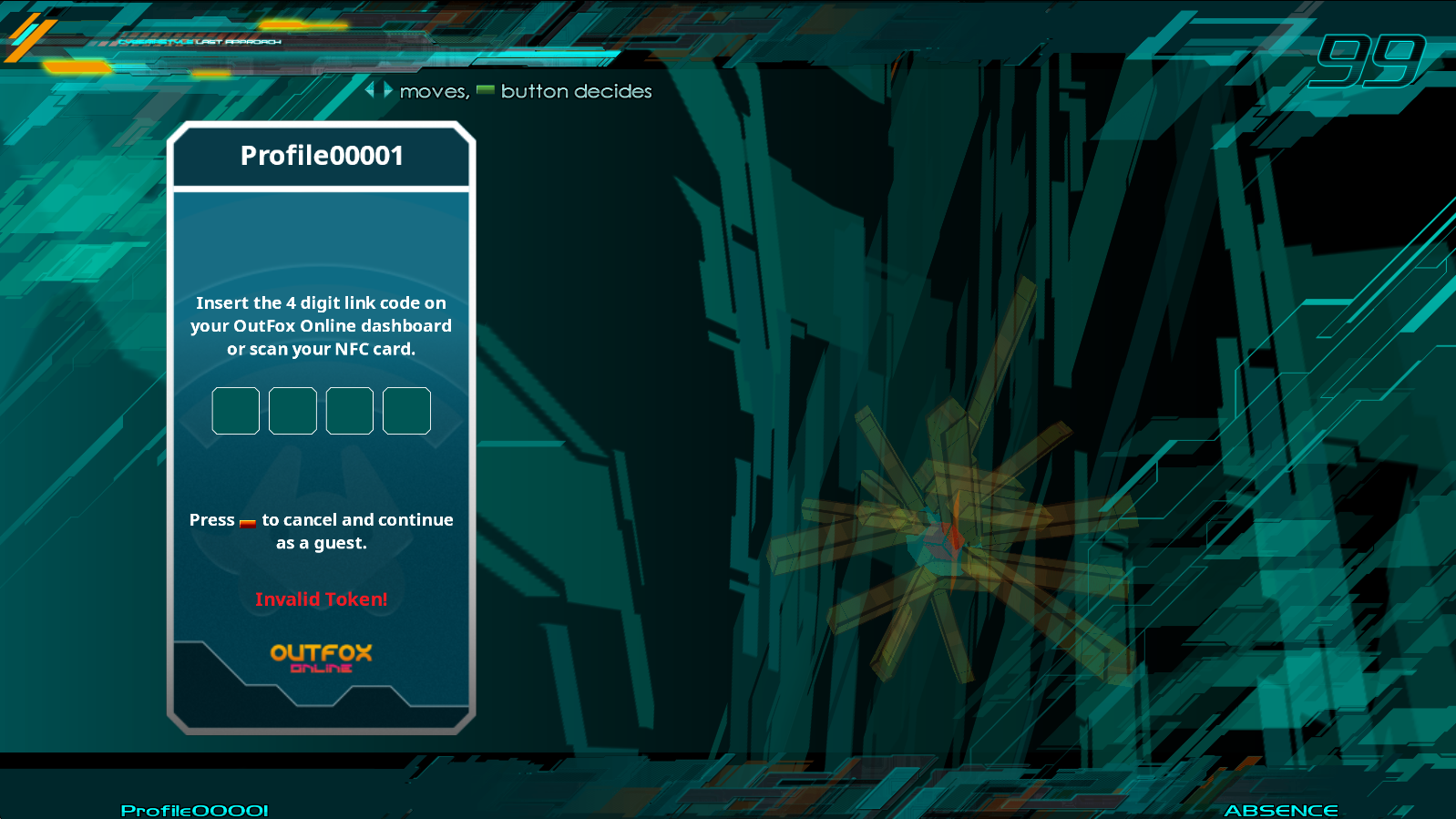
Theme is CyberiaStyle: LAST APPROACH, by gl_yukt.
¶ Workflow
If no profiles are loaded at all:
- If the machine has the
AllowGuestProfilesoption enabled from ScreenNetworkOptions, each user will be prompted for a 4-digit Link code, which they can access from their Outfox Online dashboard.
If a user has a profile that is locally stored on the machine:
- The game will automatically attempt to login with their provided token. If this process fails, they'll be prompted with the same 4-digit screen as if there was no profile, where the difference is that upon successful sync, it updates the profile's token with the correct one for future logins.
¶ Functions
These functions belong to the Screen, so to access them, you'll need to get the Screen object via SCREENMAN:GetTopScreen().
¶ EnterDigit(player, digit)
Adds a digit to the player's current guest code entry.
-- Adds 4 to Player 1's current guest code.
SCREENMAN:GetTopScreen():EnterDigit(PLAYER_1, 4)
Once all 4 digits have been entered, the engine will automatically clear the code.
¶ SkipProcess(player)
Tells the screen that this player wants to skip the login process.
-- This will tell the game that Player 1 will skip.
SCREENMAN:GetTopScreen():SkipProcess(PLAYER_1)
¶ NeedsTyping(player)
Returns true if the player needs to insert their guest code.
local need = SCREENMAN:GetTopScreen():NeedsTyping(PLAYER_1)
if need then
    Trace("Hey, type something!")
end
¶ Receiving commands
Depending on which action is taken by the user or response received by the client, a command gets called.
¶ SendingLinkCodeCommand
Sent when the player has sent their 4-digit link code, and is in the process of logging in.
The following parameters are sent along with the command:
| Name | Value | Description |
| Player | PlayerNumber | Player the message belongs to. |
¶ PlayerLoginFailCommand
Sent when a login attempt for the player has failed.
The following parameters are sent with the command:
| Name | Value | Description |
| Player | PlayerNumber | Player the message belongs to. |
| Reason | String | Reason for failure. |
| NeedsLinkCode | bool | If the player needs to reinsert their Link Code, this will return true. |
¶ PlayerLoginSuccessCommand
Sent when a login attempt for the player has succeeded.
The following parameters are sent along with the command:
| Name | Value | Description |
| Player | PlayerNumber | Player the message belongs to. |
¶ TokenCodeChangedCommand
Sent when a player has entered a new digit for the Guest code. The actual code isn't sent on this message, as the engine takes care of keeping track. Think of this message more for updating the visual elements that compose your pin keyboard.
The following parameters are sent along with the command:
| Name | Value | Description |
| Player | PlayerNumber | Player the message belongs to. |
| Length | int | The current length of the code. Max is 4. |